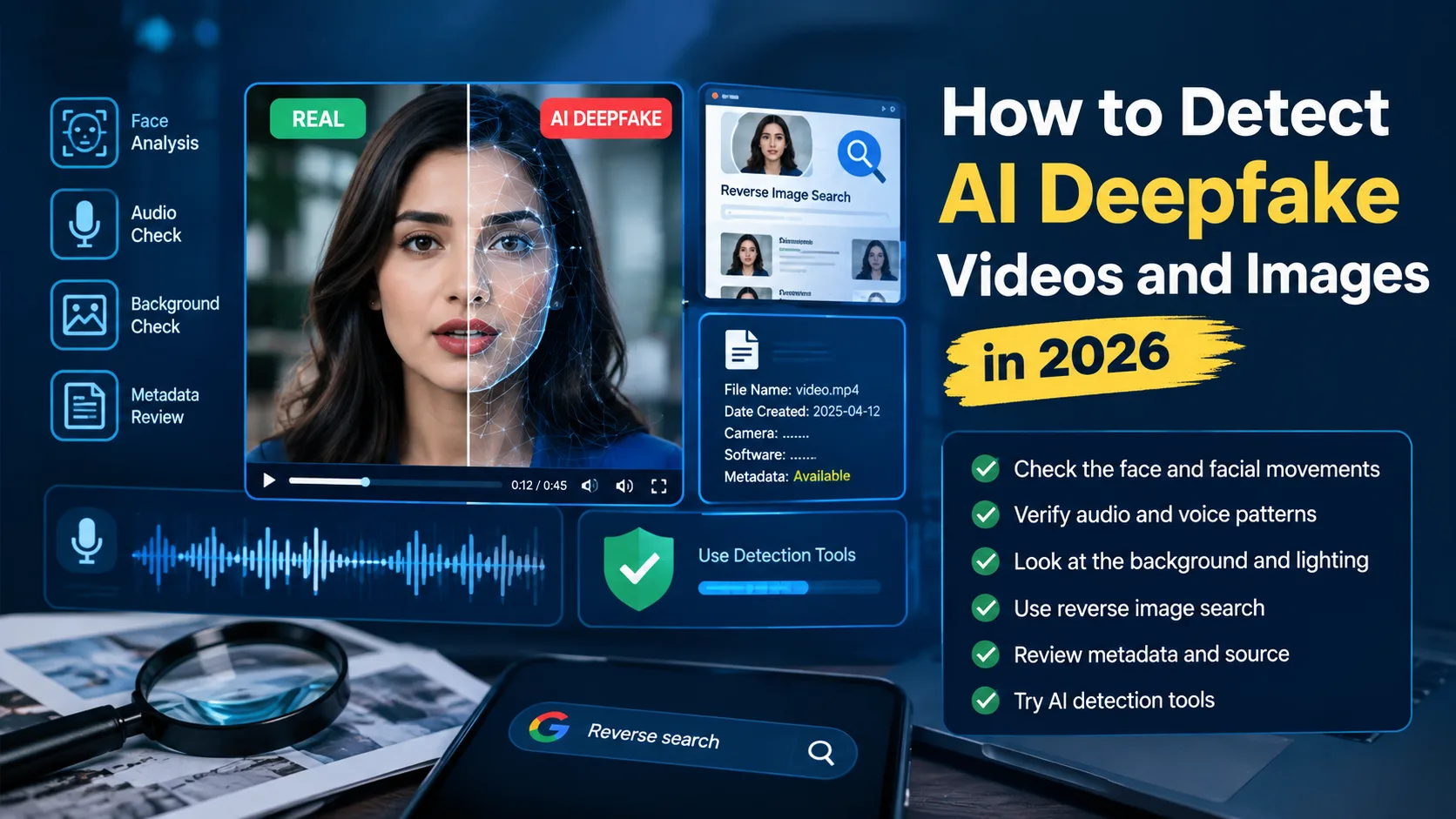
What Is an AI Deepfake?
An AI deepfake is digitally created or manipulated media made using artificial intelligence. It can change faces, clone voices, modify expressions, or create synthetic scenes.
Deepfakes can appear in videos, images, audio clips, advertisements, and social media posts.
Some deepfakes modify real media, while others create content from scratch. This makes traditional visual checking more difficult.
That is why deepfake detection should not depend on one clue. Several checks can provide stronger evidence
How to Detect AI Deepfake Videos
There is no single sign that can prove every video is fake. Instead, examine several details before reaching a conclusion.
Start with the person's face, voice, movements, background, and source. Then check the video's history and available verification information
1. Check the Face for Inconsistencies
Look closely at the person's face while the video is playing.
Watch for unusual skin textures, strange facial expressions, unnatural blinking, or inconsistent facial edges.
Pay special attention to the eyes, ears, teeth, hair, and glasses. These areas can sometimes show visual inconsistencies.
However, one unusual detail does not automatically prove that a video is AI-generated. Compression and poor-quality footage can also create visual errors.
2. Watch the Eyes and Mouth
Eyes and mouth movements can provide useful clues during deepfake detection.
Check whether the person's eyes move naturally during conversation. Also compare their lip movements with the words being spoken.
A mismatch between speech and mouth movement may indicate manipulation. However, small timing differences can also happen because of normal video processing.
Watch the entire sequence instead of judging one frame.
3. Check Facial Movement
Natural faces usually move consistently with speech and emotions.
A suspicious video may show unnatural transitions between expressions. The face may also appear slightly disconnected from the person's head movement.
Pause the video during quick movements and inspect individual frames.
Look for sudden changes around the jawline, cheeks, hair, or facial outline.
4. Listen for Audio Mismatch
Deepfake detection should include audio because fake videos can also use AI-generated or cloned voices.
Listen for unusual pauses, robotic pronunciation, strange breathing, or sudden changes in voice quality.
Also compare the voice with known recordings when possible.
If the video claims to show someone speaking in a noisy location, check whether the background sound matches the environment.
5. Check Lighting and Shadows
Lighting should normally remain consistent across the person's face, body, and surroundings.
Look for shadows pointing in unusual directions. Check whether highlights on the face match the lighting around the person.
Also inspect reflections in glasses, windows, mirrors, and other shiny surfaces.
These clues are useful, but natural photographs can also contain unusual lighting. Use them as supporting evidence.
6. Inspect the Background
The background can sometimes reveal AI-generated or manipulated content.
Look carefully at signs, text, buildings, objects, reflections, and people in the distance.
AI-generated content may contain distorted letters, unusual object shapes, or details that change between frames.
Pause the video and zoom in when something looks unusual.
How to Identify Deepfake Images
Images can be more difficult to verify because there is no movement or audio to analyze.
Start by checking the face, hands, fingers, teeth, eyes, hair, clothing, shadows, and background.
Look for objects that appear unusually smooth or distorted.
Text inside an image can also provide useful clues. AI-generated images may sometimes contain incorrect letters, strange spacing, or unreadable words.
Still, visual clues alone are not enough. Use reverse search and source verification whenever possible
Check Hands and Fingers
Hands can sometimes provide useful clues when examining AI-generated images.
Look for unusual fingers, incorrect finger counts, strange joints, or unnatural hand positions.
However, modern image-generation systems have improved significantly. A normal-looking hand does not prove that an image is authentic.
Check Text and Logos
Examine signs, labels, product names, logos, and other visible text.
AI-generated images may sometimes produce distorted or incorrect text.
Compare important logos and signs with authentic examples from official websites
Verify the Original Source
Source verification is one of the most important steps when learning how to identify deepfake content.
Ask where the video or image originally came from.
Check the original account, publication date, location, caption, and surrounding context.
If a major claim appears only on an unknown account, look for independent sources reporting the same event.
A viral post can still be misleading even when the image itself is real
Use Reverse Image Search
Reverse image search can help you investigate where an image appeared previously.
Google's About this image feature can show when Google may have first seen a similar image, other pages using similar versions, and available information about how an image was made or edited. Google also warns that some source and metadata information can be modified.
How to Use Reverse Search
Follow these steps when checking a suspicious image:
Save the image or take a screenshot.
Open Google Lens or another reverse image search tool.
Upload the image.
Review visually similar results.
Look for older versions.
Check the earliest credible source.
Compare the original context with the viral claim.
Finding an older version does not automatically prove that an image is genuine.
It simply helps you understand the image's history and whether its context has changed
Check Video History and Context
A video can be authentic but still be used with a false claim.
For example, an old video may be presented as footage from a recent event.
Check the upload date and look for earlier versions of the same footage.
Search important phrases from the caption and compare the results with reliable sources.
Context verification is especially important for videos that become viral within a short period
Can Metadata Help Detect Deepfakes?
Metadata can contain information about a file, including device details, timestamps, editing information, or other technical data.
However, metadata should never be treated as final proof.
Social platforms may remove metadata when content is uploaded. Editing software can also change some file information
Google notes that image source and metadata information can sometimes be modified or removed.
Therefore, missing metadata does not automatically mean that an image or video is fake
Use metadata as one additional clue alongside source and content verification
What Are Content Credentials?
Content Credentials are designed to provide information about the provenance of supported digital content
They can help show how media was created or modified when compatible provenance information is available
The C2PA standard uses cryptographically verifiable information to record aspects of a digital asset's creation and modification history
However, Content Credentials do not automatically prove that the real-world claim in a piece of media is true. C2PA explains that provenance can provide evidence about origin and history, but it does not by itself establish factual truth
Use an AI Fake Video Detector
An AI fake video detector can analyze media for patterns associated with synthetic or manipulated content
Different tools may examine facial movements, image patterns, audio characteristics, or other technical signals
Some tools provide a probability or confidence score instead of a simple real-or-fake answer
Are AI Detection Tools Always Accurate?
No detection tool should be treated as perfect
NIST's current deepfake-forensics work highlights the challenge of evaluating detection systems under realistic conditions. Its 2026 project notes that detection performance can degrade when systems move from academic testing to operational environments
New generation methods, compression, cropping, filters, and editing can also affect detection results
For this reason, combine detector results with source verification, reverse search, visual inspection, and context checking
Practical Deepfake Verification Checklist
Before sharing a suspicious viral photo or video, follow this simple checklist
10-Step Verification Checklist
1. Stop before sharing
Do not assume that viral content is automatically authentic
2. Check the original account
Find out who first uploaded the content
3. Inspect the face
Check eyes, teeth, hair, ears, skin, and facial edges
4. Check lip-sync
Compare mouth movement with the spoken words
5. Listen to the audio
Look for unusual voice patterns or background sounds
6. Inspect the background
Check signs, objects, shadows, reflections, and distant details
7. Reverse-search the image
Look for older versions and different contexts
8. Check metadata carefully
Use available technical information as supporting evidence
9. Check provenance information
Look for Content Credentials when available
10. Compare reliable sources
Search for independent reporting before accepting a major claim
Common Deepfake Detection Mistakes
Avoid trusting one visual clue or AI detector alone
Always verify the source, context, audio, and available evidence before sharing
Mistake 1: Trusting One Visual Error
One strange hand, eye, shadow, or facial movement does not automatically prove AI generation
Real photographs can also contain blur, compression, poor lighting, and unusual angles
Always check several details together
Mistake 2: Trusting an AI Detector Completely
An AI detector can provide useful information, but its result should not be the only evidence
Different generation methods can produce different detection results
Use automated detection as one part of a larger verification process
Mistake 3: Assuming Missing Metadata Means Fake
Metadata can disappear when files are uploaded compressed edited or shared through different platforms
Therefore, missing metadata should not be treated as proof of manipulation
Mistake 4: Believing a Viral Claim Without Checking Context
A genuine photograph can still support a false claim
An old image may be presented as a recent event, while a real video may be given a completely different location
Always verify the original context
Can Humans Always Detect Deepfakes?
No manual checklist can guarantee perfect detection
AI-generated media continues to improve while compression resizing cropping, filters, and reposting can remove useful clues
This is why deepfake detection works better as a verification process rather than a simple visual guessing exercise
When the content involves an important claim, use multiple independent sources before accepting it as authentic
How to Detect AI Deepfake Videos: Best Verification Process
Start by examining the video itself
Check the face eyes mouth lighting shadows background and audio
Then investigate the source and publication history Use reverse search when an image or video frame is available
Next, check metadata and Content Credentials if they are available
Finally use an AI fake video detector as another source of evidence
If several independent checks point in the same direction you have stronger evidence than relying on one visual clue
Example: Verifying a Viral Celebrity Video
Imagine a viral video claims that a celebrity made an unexpected announcement
First, check the account that posted the video
Then search the celebrity's official channels and reliable news sources for the same announcement
Watch the video carefully for facial, audio, and lip-sync inconsistencies
Next reverse-search screenshots from the video to find older versions or different contexts
Finally, compare all available evidence before deciding whether the claim is reliable enough to share
Need Help With Digital Marketing?
Want to improve your online presence with professional digital marketing support TZAP Marketing provides services such as SEO, website development content creation, social media marketing, and Google Ads.
Whether you need better search visibility, website optimization, or a stronger digital marketing strategy, TZAP Marketing can help you build a practical online growth plan
Explore TZAP Marketing and take the next step toward growing your business online
Conclusion
Learning How to Detect AI Deepfake Videos is becoming an important digital skill in 2026.The safest approach is to combine several verification methods instead of trusting one clue or detection tool.Check the face audio background source,image history metadata, and available provenance information.When a viral video makes a surprising claim, take a moment to verify it before sharing.A careful verification process can help you avoid spreading manipulated or misleading content
Frequently asked questions
How can I detect an AI deepfake video?
Check facial movements, lip-sync, audio, lighting, background details, source information, reverse-search results, and available provenance data.
What is the easiest way to identify a deepfake image?
Start with visual inconsistencies, then use reverse image search to investigate the image's source and history
Are AI fake video detectors always accurate?
No. Their performance can vary depending on the AI generation method, editing, compression, and type of content being analyzed.
Can metadata prove that an image is real
No. Metadata can provide useful clues, but it can also be removed or modified during editing and sharing.
What are Content Credentials?
Content Credentials provide provenance information that can help show how supported digital content was created or modified.