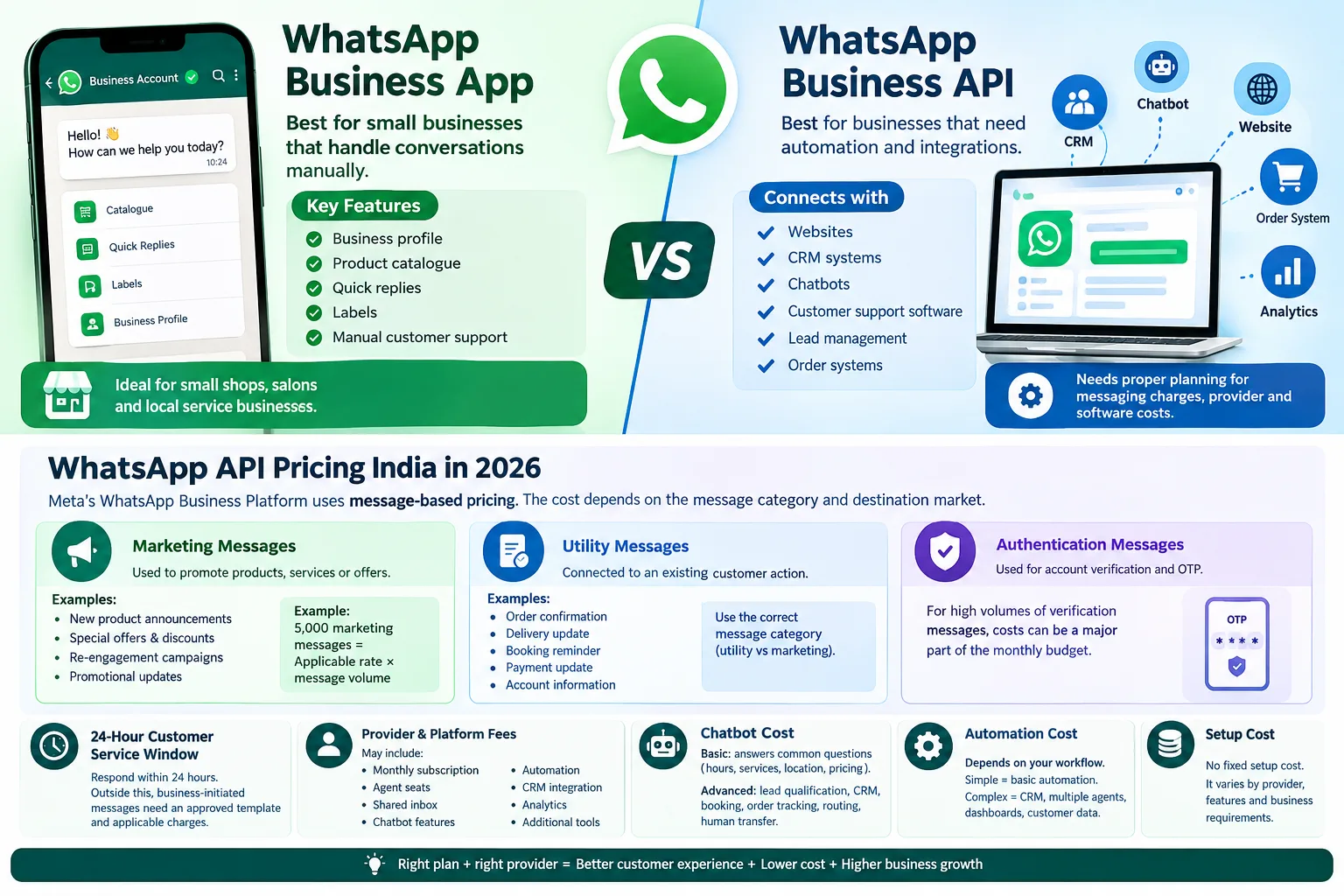
WhatsApp Business App vs WhatsApp Business API
Before calculating the WhatsApp Business API Cost in India, it is important to understand the difference between the WhatsApp Business App and WhatsApp Business Platform.
WhatsApp Business App
The WhatsApp Business App is mainly made for small businesses that handle customer conversations manually.
It offers features such as:
- Business profile
- Product catalogue
- Quick replies
- Labels
- Manual customer support
A small shop, salon or local service business may find the app sufficient.
WhatsApp Business Platform/API
The WhatsApp Business Platform is designed for businesses that need more automation and integration.
It can connect WhatsApp with:
- Websites
- CRM systems
- Chatbots
- Customer support tools
- Lead management systems
- Order systems
This is where businesses need to consider both messaging charges and platform costs.
WhatsApp API Pricing India in 2026
WhatsApp Business Platform pricing depends on factors such as message category, recipient country and current Meta pricing rules.
Common message categories include:
| Message category | Example use |
|---|---|
| Marketing | Offers, promotions and campaigns |
| Utility | Orders, bookings and updates |
| Authentication | OTPs and verification |
The actual rate should always be checked on the latest Meta rate card because pricing can change.
Marketing Messages
Marketing messages are used to promote products, services or offers.
Common examples include:
- Special offers
- New products
- Discounts
- Promotional campaigns
- Customer re-engagement
For a business sending thousands of marketing messages, the message volume can become an important part of the monthly budget.
Utility Messages
Utility messages are generally connected to an existing customer action.
Examples include:
- Order confirmation
- Delivery updates
- Booking reminders
- Payment updates
- Account information
Using the correct message category helps businesses understand their communication costs more clearly.
Authentication Messages
Authentication messages can be used for OTPs and account verification.
Businesses with a large number of verification requests should include authentication messaging in their monthly cost planning.
WhatsApp 24-Hour Customer Service Window
The 24-hour customer service window is important when calculating the WhatsApp Business API Cost in India.
When a customer messages a business, the business can reply within the applicable 24-hour window without using a message template.
For example:
Customer: “Where is my order?”
Business: “Your order has been shipped. Here is your tracking information.”
Outside the customer-service window, business-initiated messages generally need an approved template and applicable charges.
Meta also requires businesses to follow its messaging policies and obtain appropriate user opt-in. Businesses should also provide a clear way for customers to get human support when automation is used.
WhatsApp Provider and Platform Fees
Meta messaging charges are only one part of the WhatsApp Business API Cost in India.
Many businesses use a third-party provider or software platform to manage WhatsApp communication.
Depending on the platform, additional costs can include:
- Monthly subscription
- Agent seats
- Shared inbox
- Chatbot features
- Automation
- CRM integration
- Analytics
- Additional business tools
Some providers may combine these services into one plan. Others may charge separately.
Before choosing a provider, ask whether Meta messaging charges are included or billed separately.
WhatsApp Chatbot Cost in India
The WhatsApp chatbot cost depends on the type of chatbot a business needs.
Basic Chatbot
A basic chatbot can answer common questions about:
- Business hours
- Services
- Location
- Basic pricing
- Booking information
For example, a salon can use a chatbot to answer common questions before transferring the customer to a staff member.
Advanced Chatbot
A more advanced chatbot may include:
- Lead qualification
- CRM integration
- Appointment booking
- Order tracking
- Customer routing
- Human-agent transfer
More features and integrations normally require more setup and development work.
WhatsApp Automation Cost India
The WhatsApp automation cost India businesses face depends on the workflow they want to build.
For example:
Website lead → WhatsApp confirmation → Customer questions → Lead qualification → Sales agent
A simple workflow may require only basic automation.
A larger system connected to a CRM, multiple agents and customer data will need more development.
The best approach is to decide which tasks actually need automation before selecting a platform.
WhatsApp Business API Setup Cost
There is no single setup price for every business.
Setup work may include:
- Meta Business configuration
- WhatsApp account setup
- Phone number configuration
- Business verification where required
- API integration
- Message templates
- CRM connection
- Chatbot setup
- Testing
A small business can start with a simple workflow and add more automation as its customer base grows.
WhatsApp Business API Cost Examples
Here are some simple business examples.
Salon
A salon can use WhatsApp for appointment confirmations, service questions and reminders.
The business may need a basic chatbot, automated reminders and human support.
Home-Cleaning Business
A home-cleaning company can connect its website enquiry form with WhatsApp.
The customer receives a confirmation, shares details and is then transferred to a sales representative.
E-commerce Business
An online store can use WhatsApp for order confirmations, delivery updates and customer support.
This can reduce repetitive manual replies and keep customers updated.
Coaching Center
A coaching center can use WhatsApp for course enquiries, class reminders and follow-ups.
The system can send basic information before connecting interested students with a team member.
Real-Estate Business
A real-estate company can use WhatsApp to follow up with website leads.
A simple workflow can collect the customer's location, budget and property requirement before sending the lead to a sales agent.
Monthly WhatsApp API Budget in India
A practical monthly budget should include four main areas:
- Meta messaging charges
- Provider or platform fees
- Setup or development
- Chatbot and automation
A small business may need only basic support.
A growing company may need a shared inbox and CRM integration.
A larger business may require multiple agents and custom automation.
This makes it important to calculate the complete WhatsApp Business API Cost in India, instead of looking at only one charge.
How to Reduce WhatsApp API Costs
Businesses can control their WhatsApp automation cost India by improving how they use the platform.
Send Useful Messages
Avoid unnecessary messages. Send information that is relevant to the customer.
Use the Correct Category
Understand whether a message is marketing, utility or authentication.
Reduce Repeated Follow-Ups
One clear message can often replace several short messages.
Compare Provider Fees
Look at the complete monthly bill instead of comparing only subscription prices.
Automate Repetitive Work
Use automation for FAQs, confirmations, reminders and lead routing.
Keep human support available for complex customer questions.
WhatsApp Business API for Small Businesses
Small businesses do not always need a complicated setup.
A local business can start with:
- WhatsApp Business Platform
- Shared inbox
- Basic chatbot
- Lead follow-up
- Human support
For example, a home-cleaning business can automatically confirm a website enquiry and then transfer the customer to a team member.
The goal should be useful automation, not automation of every customer conversation.
WhatsApp Automation with TZAP Marketing
Businesses that need help with WhatsApp workflows, websites, digital marketing or automation can explore TZAP Marketing.
TZAP Marketing works across digital marketing, SEO, website development, applications, social media marketing, advertising and business automation.
For example, a business can connect its website enquiry form with a WhatsApp follow-up workflow. Qualified leads can then be moved to a sales team.
The setup can be planned around the actual business process instead of using the same automation for every company.
Is WhatsApp Business API Worth the Cost?
It depends on the business requirement.
If WhatsApp is mainly used for occasional manual replies, the Business App may be enough.
If a business receives many enquiries, needs multiple agents or wants CRM and chatbot integration, the Business Platform may be more suitable.
The important thing is to calculate the complete WhatsApp Business API Cost in India before choosing a platform.
Conclusion
The WhatsApp Business API Cost in India depends on message category, message volume, provider fees and the level of automation required.
A good budget should separate Meta messaging charges from platform, setup and development costs.
Start with the workflow your business actually needs. You can then add CRM integration, chatbots and automation as your business grows.
Before publishing pricing figures, always check the latest Meta documentation because WhatsApp pricing and policies can change.
Frequently asked questions
How much does WhatsApp Business API cost in India?
There is no single fixed price. The total can include Meta messaging charges, provider fees, setup, chatbot and automation costs.
How much does WhatsApp API cost per message in India?
The applicable cost depends on the message category and current Meta rate card. Marketing, utility and authentication messages can have different rates.
Is WhatsApp Business API free?
Businesses should not consider the API completely free. Meta messaging charges may apply, and provider, software, chatbot or setup costs can also be involved
How much does a WhatsApp chaHow much does a WhatsApp chatbot cost in India?tbot cost in India?
The cost depends on the chatbot's complexity. A basic FAQ bot generally requires less work than a system connected to CRM, bookings or other software.
What is the difference between WhatsApp Business App and API?
The Business App is mainly designed for manual business communication, while the Business Platform/API supports automation, integrations and larger-scale business messaging.