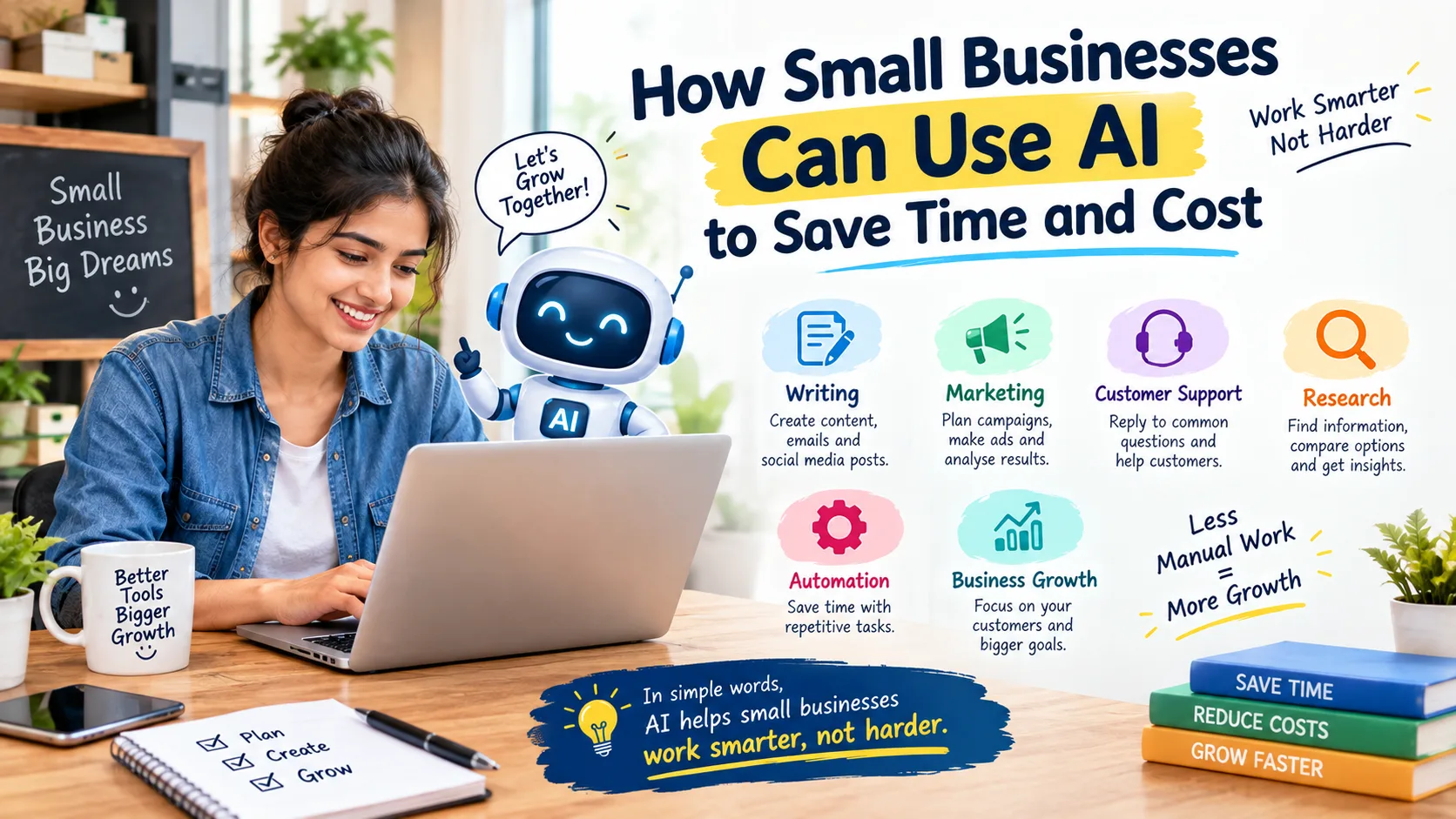
In this guide, you will learn how small businesses can use AI to save time and cost.
1. Why Small Businesses Are Using AI
Small businesses often have less time, money, and staff. One person may need to do many jobs.
AI can help in two simple ways:
Save Time – AI can help write emails, create content, answer common questions, and summarize information.
Reduce Work – AI can handle repeated tasks and help with simple marketing, research, and designs.
Remember: AI should help you with your work, but you should check its work before using it.
2. Where AI Can Help a Small Business
AI can be useful in several parts of a business.
| Business Area | How AI Can Help | Example |
|---|---|---|
| Daily Work | Drafts, summaries and ideas | Write a customer email |
| Marketing | Content and campaign ideas | Create social media ideas |
| Customer Support | Draft common answers | Reply to FAQs |
| Content | Articles, captions and descriptions | Product description |
| Operations | Repetitive workflows | Move form data between apps |
| Research | Summaries and idea generation | Research customer needs |
| Design | Social posts and graphics | Create an offer post |
| Sales | Organize and summarize information | Prepare enquiry notes |
The goal is not to use AI everywhere. The goal is to use it where it actually saves useful time.
3. Best AI Tools for Small Businesses
There are many AI tools available, but a small business does not need dozens of them. Here are some popular options for different business needs.
| AI Tool | Best For | Free Option | Paid Option |
|---|---|---|---|
| ChatGPT | Writing, ideas, research and daily work | Yes, with limits | Yes |
| Google Gemini | Research, writing and summaries | Yes, with limits | Yes |
| Canva | Marketing and visual content | Yes | Yes |
| Grammarly | Emails and business writing | Yes | Yes |
| Zapier | Repetitive workflow automation | Yes, with limits | Yes |
| HubSpot Breeze | Sales and customer workflows | Some features | Yes |
Features and pricing can change, so businesses should check the current plan before paying.
(i) ChatGPT
ChatGPT can help with many everyday tasks. A small business owner can use it.
Business use:
- Write emails and blogs
- Create ideas for social media
- Summarize long information
- Help with customer replies
Free/Paid: Free option available. Paid plans give more features and higher usage.
Save time: Write a customer email in minutes instead of starting from zero.
Save cost: A small business may need less help for simple writing tasks.
Pros: Easy to use, many business tasks, fast.
Cons: Can give wrong information.
Limitation: Always check important information before using it.
(ii) Gemini
Gemini can be useful for research, writing, summaries and generating ideas
Business use:
- Write emails and content
- Find and explain information
- Create ideas
- Help with daily work
Free/Paid: Free and paid options are available.
Save time: Quickly create a first draft of an email or document.
Save cost: Helps with simple work that may otherwise need extra help.
Pros: Good for writing, research, and ideas.
Cons: Answers may sometimes be wrong.
Limitation: Important business information should be checked.
(iii) Canva
Canva can help small businesses create marketing visuals without needing advanced design skills.
Business use:
- Make social media posts
- Create posters and ads
- Design presentations
- Create simple marketing materials
Free/Paid: Canva has a Free plan and paid Pro/Business plans.
Save time: Use ready-made templates instead of designing everything from zero.
Save cost: A small business can create simple designs without hiring a designer for every post.
Pros: Easy to use, many templates, AI design features.
Cons: Some useful features are paid.
Limitation: Free plans have fewer premium features and AI uses.
(iv) Grammarly
Grammarly can help improve business writing.
Business use:
- Check emails
- Fix grammar mistakes
- Improve sentences
- Change writing tone
Free/Paid: Free plan available. Pro adds more writing and AI features.
Save time: Finds writing mistakes while you type.
Save cost: Helps improve business writing without needing an editor for every email.
Pros: Easy, quick, useful for emails.
Cons: Not every suggestion will be perfect.
Limitation: Some advanced features need a paid plan.
(v) Zapier
Zapier is useful when a business repeatedly moves information between different apps.
Business use:
- Connect different apps
- Send leads to a spreadsheet
- Create automatic emails
- Automate repeated tasks
Free/Paid: Free plan includes 100 tasks per month. Paid plans provide more automation.
Save time: For example, when someone fills a form, Zapier can automatically add the lead to a spreadsheet.
Save cost: Less manual work means you may need fewer hours for repetitive tasks.
Pros: Powerful automation, many app connections.
Cons: Can become costly with heavy use.
Limitation: Free plan has limited tasks, and more complex automation may need a paid plan.
(vi) HubSpot Breeze
HubSpot's Breeze tools can help businesses that already use HubSpot with sales, marketing and customer-related work
Business use:
- Help with customer information
- Support sales and marketing work
- Create content
- Help teams manage customer tasks
Free/Paid: HubSpot offers free tools, while more advanced business features are available in paid plans.
Save time: AI can help with common sales and marketing tasks.
Save cost: It can reduce some manual customer and marketing work.
Pros: Useful for sales, marketing, and customer management.
Cons: HubSpot can feel complex for a very small business.
Limitation: Some advanced AI and business features require paid plans.
4. How to Use AI for Daily Business Work
You do not need a complicated AI system to start. Start with small tasks that happen regularly.
For example:
Before AI:
Write email → Check information → Rewrite → Send
With AI support:
Give information → Get first draft → Check → Edit → Send
AI does not completely remove the work. It can reduce the amount of manual writing needed.
This same idea can work for reports, meeting notes, customer messages and other routine tasks.
5. How AI Can Help With Marketing
Marketing can take a lot of time for a small business. AI can help with the preparation stage.
For example, you can use AI to generate:
- Social media content ideas
- Blog topic ideas
- Ad copy drafts
- Email campaign ideas
- Product descriptions
- Customer questions
- Content calendars
Example
A local clothing shop wants to post on Instagram three times a week.
Instead of thinking about every post from scratch, the owner can ask AI for content ideas based on new products, offers and customer questions.
The owner then selects the useful ideas and creates the final posts.
This can make content planning easier without handing the entire marketing process to AI.
6. How AI Can Help With Customer Support
Customer support is another area where AI can save time.
Many customers ask the same questions:
- What are your business hours?
- How much does this service cost?
- Do you deliver?
- How can I return a product?
- Where is your business located?
- How long does delivery take?
A business can create a list of common questions and prepare simple answers.
AI can help draft these responses or organize the information.
For more advanced businesses, AI-powered customer support systems can also help handle routine conversations.
However, important complaints, unusual requests and sensitive issues should be reviewed by a human.
7. How AI Can Help With Content Creation
Content is important for many small businesses, but creating it regularly can be difficult.
AI can help with the first draft of:
- Blog posts
- Website sections
- Social captions
- Product descriptions
- Video ideas
- YouTube scripts
- FAQs
- Newsletters
For example, a small digital agency can provide its service details to AI and ask for five social media content ideas.
The team can then select the best ideas, add real business experience and create the final content.
This is better than simply publishing AI-generated text without checking it.
8. How AI Can Help With Business Operations
AI is not only for marketing.
It can also support everyday operations.
For example, a business may receive customer information through a website form. Someone may then manually copy that information into another system and notify the sales team.
Automation can reduce these repeated steps.
AI can also help with:
- Summarizing information
- Organizing tasks
- Preparing internal documents
- Sorting basic information
- Creating workflow drafts
- Finding patterns in business data
The more repetitive a task is, the more useful automation may become.
9. How AI Can Save Time
The biggest benefit of AI for many small businesses is time saved on repeated work.
Here are some simple examples.
(i) Social Media
Instead of spending a long time thinking about what to post, use AI for starting ideas.
(ii) Emails
Use AI to prepare a first draft, then add your personal tone and business details.
(iii) Customer Questions
Create draft answers for common questions so employees do not have to write the same response again and again.
(iv) Reports
AI can turn large amounts of information into a simple summary, which can make review easier.
(v) Repetitive Work
Automation tools can connect different apps and reduce manual steps.
The key question is:
“Which task is taking too much of my time?”
Start there.
10. How AI Can Help Reduce Costs
AI does not automatically make a business cheaper.
The cost benefit depends on how the business uses it.
For example, if AI helps an employee complete a repeated task faster, the business may be able to use that saved time for other valuable work.
Possible areas include:
- Routine content preparation
- Basic research
- Simple designs
- Repeated customer communication
- Email drafting
- Workflow automation
- Information summaries
Before paying for an AI tool, ask:
- What problem will it solve?
- How often does this problem happen?
- How much manual work does it take?
- Will the tool save enough useful time?
- Is the subscription worth the value it provides?
This approach is better than buying an AI tool simply because it is popular.
11. Free vs Paid AI Tools
Many AI tools provide free plans with limits.
Free tools can be useful when:
- You are testing AI for the first time.
- Your usage is low.
- You only need basic features.
- You are not sure whether the tool fits your business.
Paid tools may make sense when:
- You use the tool regularly.
- Free limits slow down your work.
- You need advanced features.
- You need team or business features.
- The tool saves enough useful time to justify the cost.
A simple rule is:
Do not pay for features you will not use.
12. Pros and Cons of Using AI
Pros and Cons of Using AI means understanding the good and bad sides of using AI in your business.
Pros
- Saves time on repeated work
- Helps create first drafts
- Supports marketing work
- Makes research faster
- Helps organize information
- Can automate some workflows
- Helps small teams handle routine tasks
Cons
- AI can make mistakes
- Some useful features require payment
- Automation needs setup and testing
- AI content may need editing
- Poor instructions can produce poor results
- Important decisions still need human judgment
13. Important AI Limitations
AI is useful, but small businesses should understand its limits.
(i) AI Can Be Wrong
AI can sometimes provide incorrect information. Always check important facts before using them.
(ii) AI Does Not Know Your Business Automatically
Your customers, products, prices, policies and goals are specific to your business.
You need to provide the right information and review the output.
(iii) AI Content Can Sound Generic
If you publish every AI-generated sentence without editing, your content may feel similar to many other websites.
Add your own experience, examples and useful details.
(iv) Automation Can Cause Problems
An automated workflow may fail because of incorrect settings or missing information.
Test important workflows before depending on them.
(v) Protect Business Data
Be careful when entering customer information, financial information, passwords or other sensitive business data into any AI service. Check the tool's privacy and data settings before using it for business information.
14. How to Choose the Right AI Tool
You do not need ten AI tools to start.
Follow these six steps:
(i) Find one time-consuming task
Example: replying to repeated customer questions.
(ii) Check how often it happens
A task done every day may have more value than one done once a month.
(iii) Choose one suitable tool
Do not buy multiple tools before testing one.
(iv) Start small
Use it for a limited task.
(v) Measure the result
Ask whether it actually saved time or improved the work.
(vi) Keep, change or remove it
If it provides value, continue. If not, try another solution.
15. Grow Your Business With TZAP Marketing 🚀
AI can help with daily work, but it is only one part of a business's digital setup.
TZAP Marketing helps businesses with different digital solutions, including:
- 🌐 Websites – Build a useful online presence where customers can learn about your business and contact you.
- 📱 Mobile Apps – Create mobile solutions for different business needs.
- 🤖 AI Solutions – Use AI to solve specific business problems and improve workflows.
- 🔐 Cybersecurity – Help protect digital systems and business information.
- 📈 Digital Marketing – Reach potential customers through online marketing channels.
If your business needs a website, mobile app, AI solution, cybersecurity support, or digital marketing, TZAP Marketing can help you explore a solution based on your business needs.
16. Final Thoughts
Using AI is not about using it for everything. First, find one problem in your business.
Then choose one AI tool, test it, and see if it saves time or money.
If it works well, keep using it.
The best use of AI is to make real business work easier, faster, and better.
Frequently asked questions
How can small businesses use AI to save time and cost?
Small businesses can use AI for writing, marketing, customer support, research, content creation and repetitive workflows. The biggest value usually comes from reducing manual work on repeated tasks.
Which AI tools are useful for small businesses?
Tools such as ChatGPT, Google Gemini, Canva, Grammarly, Zapier and HubSpot Breeze can be useful for different business needs. The right tool depends on the task.
Should small businesses start with free AI tools?
Yes. A free plan can be a good way to test whether an AI tool solves a real business problem before paying for advanced features.
Can AI handle customer support?
AI can help with common questions and routine customer conversations. However, complaints, sensitive issues and complex requests should be reviewed by a human.
Is AI enough to grow a small business?
No. AI can support business growth, but a business also needs good products or services, customer experience, marketing, a useful website, strong processes and proper digital security.