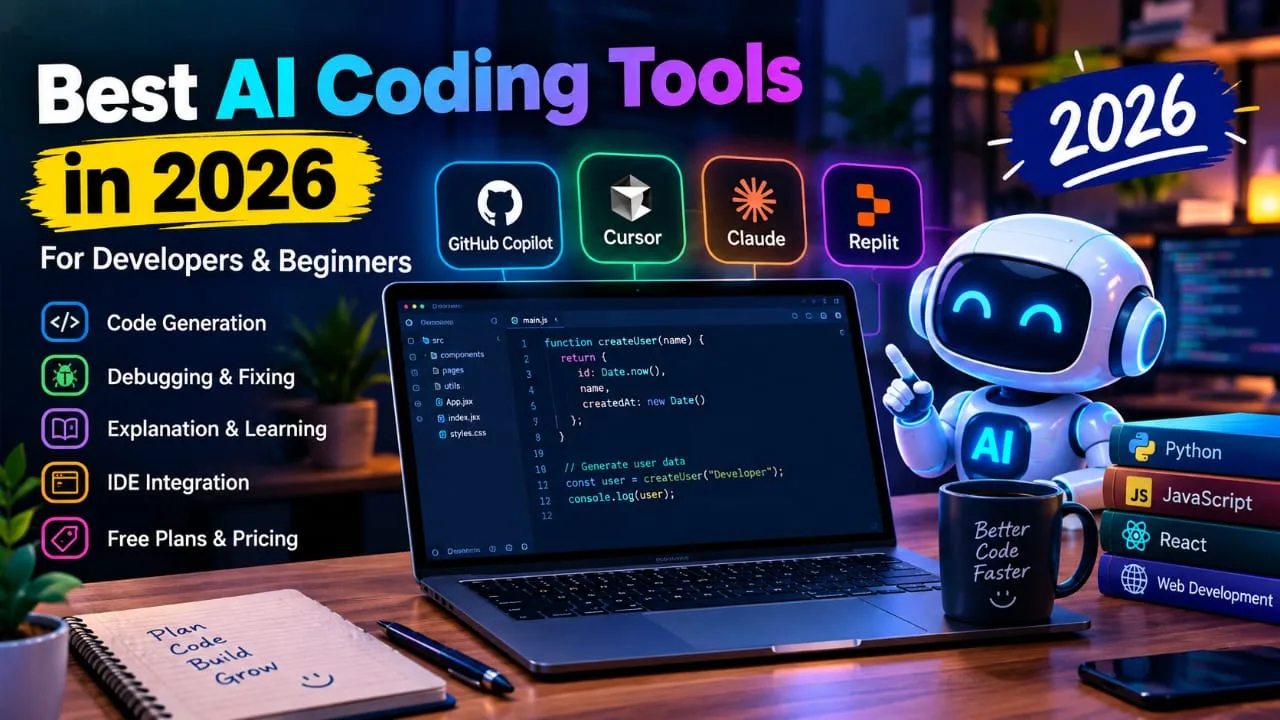
1. What Makes AI Coding Tools Useful in 2026?
AI coding tools are software tools that use artificial intelligence to support different parts of software development. They can generate code from simple instructions, explain existing code, find possible bugs, and help developers complete repetitive tasks. Modern tools can also understand more of a project instead of working with only one small piece of code.
Faster Code Generation
One of the biggest benefits of AI coding tools is faster code generation. A developer can describe what they want in normal language and ask the AI to create a starting version.
For example, you can ask an AI tool to create a login form, Python function, JavaScript component, API request, or SQL query.
This can reduce the time spent writing repetitive code. However, generated code should always be checked because AI can sometimes produce incorrect or unnecessary code.
Easier Debugging and Code Explanation
Debugging can be difficult, especially when an error message is confusing. AI tools can help explain what went wrong and suggest possible solutions.
Beginners can also paste a piece of code and ask the AI to explain it in simple language. This makes an AI coding assistant useful not only for writing code but also for learning programming.
Developers should still test every suggested fix before using it in a real project.
Better IDE and Terminal Support
Modern coding assistants are becoming part of the complete development workflow. GitHub Copilot, for example, supports popular editors and IDEs and also provides Copilot CLI.
Other tools focus on AI-first editors or terminal-based development. This means developers can choose a workflow that matches the way they already work.
2. Best AI Coding Tools in 2026 for Daily Development
Different developers have different needs. Some want simple code completion, while others need project-level assistance, debugging, code review, or AI agents. The following tools offer different approaches to AI-assisted development.
GitHub Copilot
GitHub Copilot is an AI coding assistant designed to work with a developer's normal coding workflow. It can provide code completion, chat assistance, agent features, code review, and terminal support.
GitHub currently lists Copilot Free at $0 with 2,000 code completions per month. Its Pro plan is listed at $10 per user per month and includes unlimited code completion, cloud agent access, code review, and model selection.
Copilot also integrates with editors such as Visual Studio Code, Visual Studio, JetBrains IDEs, and Neovim.
Cursor
Cursor is an AI-first code editor designed around AI-assisted programming. It can help developers work with project files, edit code, use AI agents, and understand larger coding tasks.
Cursor currently offers a free Hobby plan. Its Pro plan is listed at $20 per month, while Pro+ and Ultra are available for users who need higher usage. Cursor also offers a Start plan for developers in India at ₹649 per month, including tax.
It can be useful for developers who want AI features directly inside their main coding environment.
Claude Code
Claude Code is designed for developers who prefer working from the terminal. It can help with coding tasks, debugging, editing files, understanding projects, and handling development work through command-line workflows.
This type of tool can be useful for experienced developers who already feel comfortable working with terminals and Git.
For beginners, a visual IDE-based assistant may feel easier at first, while terminal-based tools can become more useful as their development skills grow.
3. AI Coding Tools for Beginners and Learning
AI can be useful for people who are just starting to learn programming. A beginner does not always need an advanced coding agent. Simple explanations, debugging help, examples, and step-by-step guidance can be more valuable during the early stages of learning.
Learn Instead of Only Copying Code
Beginners should use AI to understand code, not simply copy and paste everything.
For example, instead of asking, “Write the complete website for me,” you can ask, “Explain how to create a navigation bar using HTML and CSS.”
You can then ask the AI to explain each part of the code. This approach can help you understand programming concepts while building small projects.
Debug Small Projects Step by Step
Errors are a normal part of programming. Beginners may see an error message and immediately feel confused.
An AI coding assistant can explain the error in simple language and show where the problem may be. You can then make the change yourself and test the result.
This creates a better learning process because you understand both the error and the solution.
Build Projects With Clear Instructions
AI tools work better when you give them clear instructions.
Instead of asking an AI to create a huge application in one request, divide the project into smaller tasks. You can start with the folder structure, then create the homepage, add features, connect the backend, and finally test the application.
This makes the project easier to understand and easier to correct when something goes wrong.
4. Free AI Coding Assistant Options in 2026
Not everyone wants to pay for an AI coding tool immediately. Free plans can be useful for beginners, students, and developers who want to test a tool before choosing a paid plan. However, free plans usually have limits on usage or advanced features.
GitHub Copilot Free
GitHub Copilot has a Free plan that costs $0 and currently includes 2,000 code completions per month. It also provides access to selected AI features and does not require a credit card to get started.
This can be useful for beginners who want to try AI-assisted coding without starting with a paid subscription.
Verified students may also be eligible for the GitHub Copilot Student plan.
Cursor Hobby
Cursor also provides a free Hobby plan. According to its current pricing page, the Hobby plan does not require a credit card and includes limited Agent requests and access to Composer.
This makes it possible to test Cursor's AI-first coding workflow before moving to a paid plan.
For developers in India, Cursor also provides a ₹649-per-month Start plan with tax included.
Check Free Plan Limits
A free AI coding assistant can be enough for learning and small projects, but you should always check its current limits.
Some plans may limit code completions, AI requests, agent usage, premium models, or other advanced features.
Free plans and pricing can change over time, so check the official pricing page before making a long-term decision.
5. Pricing and Features: What Should You Compare?
Price is important when choosing an AI coding tool, but it should not be the only thing you consider. Two tools may have similar monthly prices but offer very different features and usage limits. Comparing the complete package gives you a better idea of what you are actually getting.
Monthly Price and Usage
GitHub Copilot currently lists individual plans including Free at $0, Pro at $10 per month, Pro+ at $39 per month, and Max at $100 per month.
Cursor currently lists Hobby as free, Pro at $20 per month, Pro+ at $60 per month, and Ultra at $200 per month.
Prices can change, so these figures should be checked on the official websites before purchasing.
Coding Features
When comparing AI coding tools, look beyond the monthly price. Important features include:
- Code generation
- Code completion
- Debugging
- Code explanation
- Test generation
- Code review
- Multi-file editing
- AI agents
- IDE integration
- Terminal support
- Project understanding
The best AI for coding depends on which of these features you actually need.
Privacy and Human Review
Privacy is important when working with private projects or business code. Before connecting an AI tool to a professional project, read its current privacy and data policies.
Developers should also review AI-generated code for security issues, incorrect logic, outdated methods, and unnecessary dependencies.
AI can help developers work faster, but human review and testing are still important.
6. How to Choose the Best AI for Coding
Choosing the right tool becomes easier when you first understand your own needs. A beginner may need simple explanations and debugging support, while an experienced developer may need advanced agents, multi-file editing, and project-level understanding.
Match the Tool With Your Workflow
Think about where you normally write code.
If you already use GitHub regularly, GitHub Copilot can fit naturally into that workflow. If you want an AI-first editor, Cursor provides a dedicated environment for AI-assisted coding.
If you prefer working from the terminal, a tool such as Claude Code may fit better with that style.
Your workflow should be one of the main factors when comparing the best AI coding tools in 2026.
Consider Your Skill Level
Beginners should look for simple setup, clear explanations, debugging help, and an affordable or free plan.
Experienced developers may want advanced features such as agents, project context, multi-file changes, code review, terminal support, and higher usage limits.
You do not necessarily need the most advanced tool. Choose features that solve your actual coding problems.
Test Before You Pay
The easiest way to compare tools is to give them the same coding task.
Ask each tool to create a small feature, explain the code, find a bug, and write a basic test. Then compare the quality of the answers, ease of use, speed, and amount of correction needed.
This practical test can help you understand which tool fits your development style.
7. Final Thoughts
The best AI coding tools in 2026 can make programming easier by helping with code generation, debugging, explanations, testing, and repetitive development tasks.
GitHub Copilot, Cursor, and Claude Code provide different approaches to AI-assisted development. Free plans can also give beginners a way to start without immediately paying for a subscription.
However, an AI tool should support your skills rather than replace your understanding of programming. Always read, test, and review the code before using it in an important project.
The right tool is the one that fits your coding language, IDE, project requirements, skill level, workflow, and budget.
Frequently asked questions
What are the best AI coding tools in 2026?
The best AI coding tools in 2026 include tools such as GitHub Copilot, Cursor, and Claude Code. They can help with code generation, debugging, code explanation, testing, and development tasks.
Can beginners use AI coding tools?
Yes. Beginners can use AI coding tools to learn programming, understand code, find errors, and build small projects. It is better to ask the AI to explain the code instead of simply copying it.
Is there a free AI coding assistant in 2026?
Yes. Some AI coding tools offer free plans with usage limits. For example, GitHub Copilot and Cursor both provide free options, although their available features and limits can vary.
Which features should I look for in an AI coding tool?
Important features include code generation, code completion, debugging, code explanation, test generation, IDE integration, multi-file editing, code review, and project understanding.
How do I choose the right AI tool for coding?
Choose a tool based on your programming skill, coding language, IDE, project requirements, workflow, required features, and budget. Testing a free plan before paying can also help you understand whether the tool suits your needs.