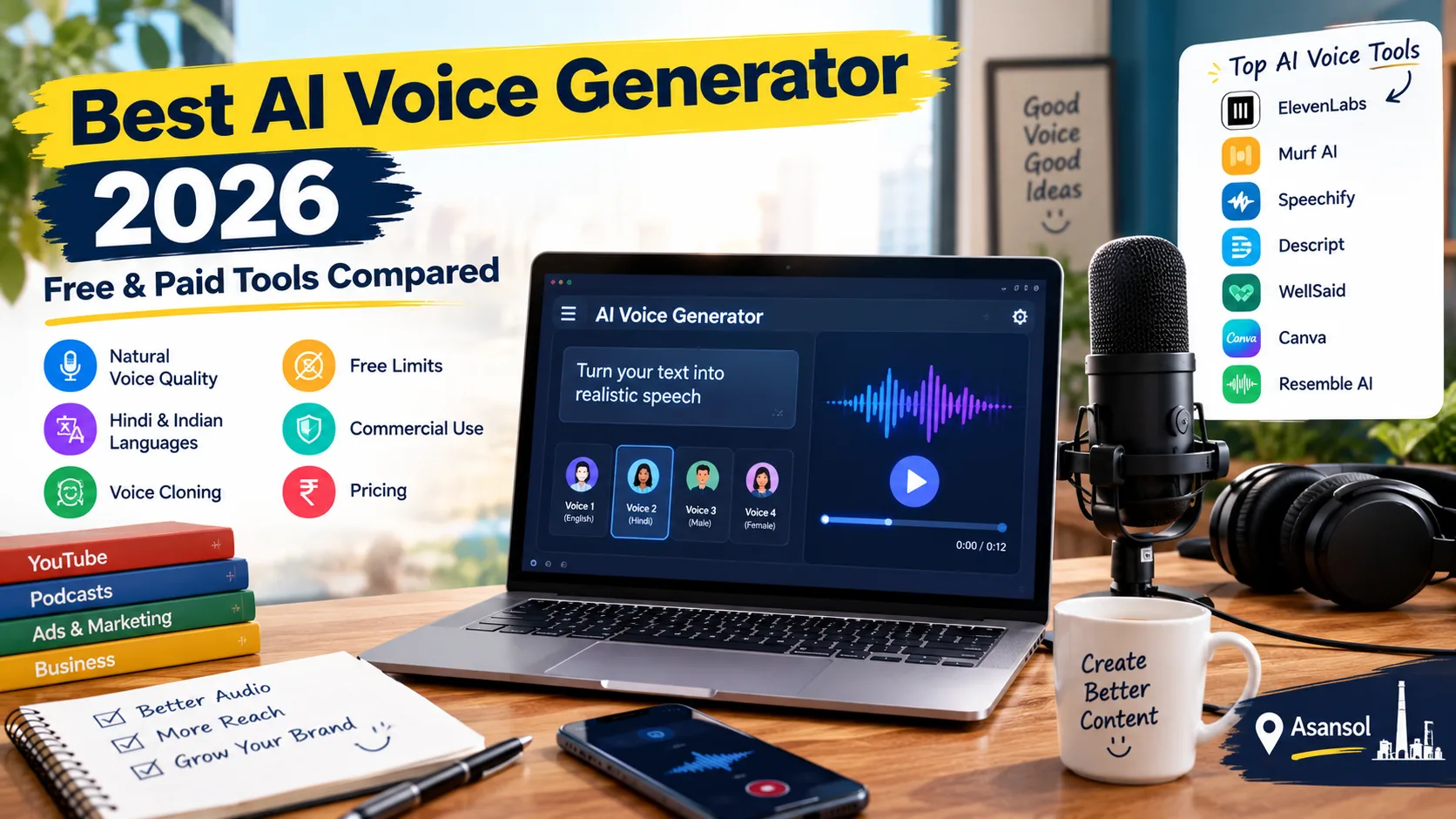
In this guide, we compare some of the best AI voice generators in 2026 based on voice quality, languages, Hindi support, cloning, free usage, commercial rights and pricing.
1. What Is an AI Voice Generator?
An AI voice generator is a tool that converts written text into spoken audio using artificial intelligence.
You write a script.
The tool creates the voice.
For example:
Text:
"Welcome to our YouTube channel. Today, we will explain how AI works."
AI voice:
The tool reads the sentence aloud using a selected voice.
Depending on the platform, you may be able to control:
✅ Voice style
✅ Speed
✅ Pronunciation
✅ Emotion
✅ Pauses
✅ Accent
✅ Language
✅ Voice tone
Some advanced tools also let you create a digital version of a person's voice.
2. Best AI Voice Generators in 2026
So, before choosing a tool, check languages, free limits, price, voice cloning and commercial use.
Here are some popular tools worth considering in 2026:
Quick Comparison
| Tool | Free Plan | Languages | Voice Cloning | Hindi | Commercial Use | Starting Paid Price* |
|---|---|---|---|---|---|---|
| ElevenLabs | ✅ Yes | 70+ | ✅ Yes | ✅ Yes | ✅ Paid plans | $6/month |
| Murf AI | ✅ Yes | 30+ | ✅ Custom voice | Check tool | ✅ Paid plans | $19/month |
| Speechify Studio | ✅ Yes | 1000+ voices | ✅ Paid | ✅ Yes | ✅ Paid plans | $100/year |
| Descript | ✅ Yes | Varies | ✅ Yes | Varies | ✅ Paid plans | $16/month |
| WellSaid | ✅ Trial | Limited/varies | ⚠️ Limited | ⚠️ Limited | ✅ Paid plans | $10/month* |
| Canva AI Voice | ✅ Limited | Varies | ⚠️ Limited | Feature-dependent | ✅ Under Canva terms | Depends on plan |
| Resemble AI | ✅ Options | 20+ for Chatterbox Multilingual | ✅ Yes | ✅ Yes | ⚠️ Depends on model/licence | Depends on usage |
Prices and features can change.
(i) ElevenLabs
ElevenLabs is an AI voice platform for text-to-speech, voice cloning, dubbing and voice creation.
Free: ✅ Yes — current Free plan includes 10,000 credits per month.
Paid: 💰 Starter starts at $6/month.
Languages: 🌐 70+ languages are listed for its relevant text-to-speech offering.
Hindi: ✅ Yes
Voice cloning: ✅ Yes
Commercial use: ✅ Available on paid plans according to the current plan terms.
Main features:
✅ Text-to-speech
✅ Voice cloning
✅ Voice design
✅ Dubbing
✅ Voice changing
✅ Multiple languages
✅ Studio tools
Pros:
✅ Good choice for creators
✅ Hindi support
✅ Voice cloning available
✅ Useful for YouTube, podcasts and dubbing
Cons:
❌ Free plan has commercial-use restrictions
❌ Heavy users may need a paid plan
Best for: YouTubers, content creators, podcasters and people who need voice cloning.
(ii) Murf AI
Short definition: Murf AI is mainly a professional AI voiceover tool for videos, presentations, training and business content.
Free: ✅ Yes — 10 minutes of voice generation.
Paid: 💰 Creator starts at $19/month and Business at $66/month on monthly billing.
Languages: 🌐 30+ languages and accents.
Hindi: ⚠️ Check the current language list before creating Hindi content.
Voice cloning: ✅ Custom voice options
Commercial use: ✅ Available on paid plans.
Main features:
✅ 200+ voices
✅ Voice styles
✅ Pronunciation controls
✅ Voiceover creation
✅ Canva integration
✅ PowerPoint integration
Pros:
✅ Good for professional voiceovers
✅ Useful for business videos
✅ Useful for presentations and training
✅ Commercial rights on paid plans
Cons:
❌ Free plan does not include downloads
❌ Free plan does not include commercial rights
Best for: Business videos, presentations, training content, marketing and professional voiceovers.
(iii) Speechify Studio
Short definition: Speechify Studio is an AI voice and audio platform for voiceovers, dubbing and content creation.
Free: ✅ Yes — Free Studio usage is available with limited credits.
Paid: 💰 Studio Starter is listed at $100/year.
Languages: 🌐 1,000+ voices are available across its voice tools.
Hindi: ✅ Yes
Voice cloning: ✅ Available on paid plans.
Commercial use: ✅ Available with eligible paid plans.
Main features:
✅ AI voiceovers
✅ Dubbing
✅ Voice changer
✅ Voice cloning
✅ Stock media
✅ YouTube-focused workflows
Pros:
✅ Hindi support
✅ Useful for YouTube
✅ Voiceover and dubbing features
✅ Large voice selection
Cons:
❌ Free plan has limited usage
❌ Commercial use is not included in the free Studio plan
❌ Voice cloning requires an eligible paid plan
Best for: YouTube creators, Hindi content, dubbing and regular voiceover work.
(iv) Descript
Short definition: Descript combines AI voice generation with video editing, audio editing and transcription.
Free: ✅ Yes
Paid: 💰 Hobbyist starts at $16/month and Creator at $24/month on current monthly pricing.
Languages: 🌐 Language availability varies by feature.
Hindi: ⚠️ Check the current voice and language options.
Voice cloning: ✅ Yes — through its Overdub feature.
Commercial use: ✅ Available on eligible paid plans.
Main features:
✅ AI voice
✅ Voice cloning
✅ Video editing
✅ Audio editing
✅ Transcription
✅ Filler-word removal
✅ Script-based editing
Pros:
✅ Voice and video editing in one tool
✅ Useful for YouTubers
✅ Useful for podcasters
✅ Can edit content through text
Cons:
❌ Not only a voice generator
❌ Some advanced features require paid plans
❌ Language support varies
Best for: YouTubers, video editors and podcasters who want voice generation and editing together.
(v) WellSaid
Short definition: WellSaid focuses on professional AI voices for business and training content.
Free: ⚠️ Free trial available.
Paid: 💰 Starter is listed at $10/month when billed annually. Pro is $33/month when billed annually.
Languages: 🌐 More limited compared with some multilingual platforms.
Hindi: ⚠️ Check current language availability.
Voice cloning: ⚠️ Not mainly focused on consumer voice cloning.
Commercial use: ✅ Available on paid plans.
Main features:
✅ Professional AI voices
✅ Voiceover creation
✅ Tone controls
✅ Pitch controls
✅ Emotion controls
✅ Pronunciation controls
Pros:
✅ Professional voice options
✅ Good for business content
✅ Useful for training videos
✅ Commercial rights on paid plans
Cons:
❌ Free option is mainly a trial
❌ Fewer consumer voice-cloning features
❌ Language options may be more limited
Best for: Business videos, training, product content and professional narration.
(vi) Canva AI Voice
Short definition: Canva AI Voice lets you add AI-generated voice content while creating videos, presentations and social media designs.
Free: ✅ Limited availability/features.
Paid: 💰 Depends on the Canva plan and feature.
Languages: 🌐 Varies by available feature.
Hindi: ⚠️ Feature-dependent.
Voice cloning: ⚠️ Limited compared with dedicated voice-cloning platforms.
Commercial use: ✅ Allowed for certain projects under Canva's terms.
Main features:
✅ Simple voiceovers
✅ Video creation
✅ Presentation creation
✅ Social media content
✅ Easy design workflow
Pros:
✅ Easy for beginners
✅ Voice and design in one place
✅ Useful for short videos
✅ Good for social media content
Cons:
❌ Not designed mainly for advanced voice cloning
❌ Some features depend on the Canva plan
❌ AI audio has usage restrictions
Best for: Beginners, social media videos, presentations and simple voiceovers.
(vii) Resemble AI
Short definition: Resemble AI focuses on AI voice creation, voice cloning, multilingual speech and developer tools.
Free: ⚠️ Available options depend on the product or model.
Paid: 💰 Pricing depends on usage and features.
Languages: 🌐 Chatterbox Multilingual supports 20+ languages.
Hindi: ✅ Yes
Voice cloning: ✅ Yes
Commercial use: ⚠️ Depends on the model and licence.
Main features:
✅ Voice cloning
✅ Text-to-speech
✅ Hindi support
✅ Multilingual generation
✅ Voice design
✅ API access
✅ Developer tools
Pros:
✅ Strong focus on voice cloning
✅ Hindi support
✅ Multilingual options
✅ Useful for developers
✅ Custom voice workflows
Cons:
❌ Pricing can be harder to understand for beginners
❌ Commercial rights depend on the model/licence
❌ More technical than simple beginner tools
Best for: Developers, AI applications, multilingual projects and advanced voice-cloning workflows.
3. Best AI Voice Generator for YouTube
The right YouTube AI voice tool should give you a natural voice, easy editing, enough usage and the correct commercial rights.
Before choosing one, check these points:
✅ Natural voice: Does it sound like a real person?
✅ Language: Does it support your target language?
✅ Hindi: If you make Hindi videos, test Hindi pronunciation first.
✅ Voice cloning: Do you need your own digital voice?
✅ Commercial rights: Can you use the audio on a monetized channel?
✅ Usage limit: How many minutes or credits do you get?
✅ Download: Can you export the final audio?
✅ Editing: Can you fix pauses, pronunciation and speed?
✅ Long videos: Does the voice still sound natural after several minutes?
A short demo can sound excellent, but that does not mean the same voice will work well for a 10-minute video.
✅Tip: Before paying, generate a longer sample using your own YouTube script. Listen for pronunciation, pauses, emotion and repeated words. This simple test can help you avoid paying for a tool that does not fit your content.
4. Best Free AI Voice Generator
Want to try an AI voice generator without spending money? 👍
If you are just starting, a free plan or trial can help you test the voice quality before paying.
Some tools offer free usage or trials:
✅ ElevenLabs
✅ Murf AI
✅ Speechify Studio
✅ Descript
✅ WellSaid
✅ Canva
But remember: free does not always mean free for commercial use.
This is important if you plan to use AI voices for a monetized YouTube channel, ads or client projects.
For example:
⚠️ ElevenLabs free plan has non-commercial restrictions.
⚠️ Murf free plan does not include commercial rights.
⚠️ Speechify Studio free plan does not include commercial usage rights.
⚠️ WellSaid free trial does not include commercial rights.
👉 Always check the licence of the plan you are using before publishing commercial content.
5. Best AI Voice Generator for Hindi
If your main requirement is AI voice generator Hindi, language support should be one of your first checks.
Some popular platforms that support Hindi include:
ElevenLabs
✅ Hindi support
✅ Natural-sounding voice options
Speechify Studio
✅ Hindi voiceover support
✅ Useful for creating voiceovers
Resemble AI
✅ Hindi support
✅ Multilingual voice cloning
But there is one important thing to remember: Hindi support does not always mean the voice will sound natural.
👉 Before choosing a paid plan, test a short Hindi script and check the pronunciation, accent, pauses and overall voice quality.
6. AI Voice Generator for Indian Languages
Indian creators may need more than just English and Hindi.
Depending on your audience, you may need:
✅ Hindi
✅ Bengali
✅ Tamil
✅ Telugu
✅ Marathi
✅ Gujarati
✅ Kannada
✅ Malayalam
✅ Punjabi
But remember, supporting many languages does not mean every language will sound equally natural.
Before choosing a tool, check its current language list and test a short script.
Pay attention to:
✅ Pronunciation
✅ Names
✅ Local words
✅ Numbers
✅ English words inside Hindi
✅ Natural pauses
👉 Tip: If you create regional-language YouTube videos, test the voice before buying a paid plan. A few seconds of testing can help you avoid poor pronunciation later.
7.What Is AI Voice Cloning?
Want to create new voiceovers without recording your voice every time?
AI voice cloning creates a digital version of a voice using an audio sample.
For example, you can record your own voice, and the AI can learn things such as:
✅ Tone
✅ Pronunciation
✅ Speaking style
✅ Rhythm
✅ Voice characteristics
The tool can then generate new speech using that voice.
This can save time for creators who regularly make videos. You can write a script and generate the narration using your approved voice model.
Is Voice Cloning Safe?
- Voice cloning should be used carefully. ⚠️
- Only clone a voice when you own it or have permission to use it.
- Do not clone someone else's voice and use it to make people believe they said something they never said.
- This can create privacy, fraud and impersonation risks.
Some voice platforms also use safety features such as consent checks and watermarking.
👉 Tip: If you are using your own voice, keep your original recordings secure and read the platform's terms before uploading them.
8. What Should You Check Before Choosing an AI Voice Generator?
A voice may sound great in a short demo, but will it work well for your full video? 🎙️
Before choosing an AI voice generator, check these important points:
(a) Voice Quality
Listen to a longer sample and check whether the voice sounds natural when reading:
✅ Long sentences
✅ Numbers
✅ Names
✅ Questions
✅ Emotional lines
(b) Hindi and Other Language Support
If you create Indian-language content, test your actual script.
A tool may support Hindi but still struggle with certain words, names or accents.
(c) Voice Cloning
If you want to use your own voice, check:
✅ Is voice cloning available?
✅ Which plan includes it?
✅ How much audio is required?
✅ Is commercial use allowed?
✅ How are your recordings stored and used?
(d) Commercial Rights
This is important if you create:
✅ Monetized YouTube videos
✅ Client videos
✅ Advertisements
✅ Business content
✅ Podcasts
✅ Online courses
⚠️ Never assume that a free plan automatically allows commercial use.
(e) Download Limits
Some free plans let you create audio but limit downloads or monthly usage.
👉 Check the limits before starting a large project.
(f) Pricing
Compare the plan with the amount of audio you actually need.
For example, a low-cost plan may be enough for a few short videos, while daily creators may need a larger plan.
💡 Tip: Test the free plan first. Check voice quality, language support, usage limits and commercial rights before paying.
9. Free vs Paid AI Voice Generator
Not sure whether you should use a free plan or pay for an AI voice generator? 🤔
Here is a simple comparison:
| Feature | Free Plan | Paid Plan |
|---|---|---|
| Voice generation | ⚠️ Usually limited | ✅ Higher limits |
| Voice choices | ⚠️ Limited | ✅ More choices |
| Voice cloning | ⚠️ Often limited or unavailable | ✅ More common |
| Commercial use | ⚠️ Often restricted | ✅ Available on suitable plans |
| Downloads | ⚠️ May be limited | ✅ Usually higher |
| Advanced controls | ⚠️ Limited | ✅ More options |
| Support | ⚠️ Basic | ✅ Better on some plans |
Which One Should You Choose?
Free plans are useful when you are learning or testing a tool.
Paid plans can be useful when you need more voice generation, advanced features or commercial usage.
👉 Tip: Start with a free plan if available. Test the voice and features first, then decide whether you need a paid plan. Paid plans become more useful when you create content regularly.
10. Can You Use AI Voices for YouTube?
Yes, you can use AI voices for YouTube. 🎙️
But always check:
✅ Does the tool allow commercial use?
✅ Are you following its licence?
✅ Is your video original and useful?
✅ Are you adding real value?
✅ Are you following YouTube’s current rules?
👉 AI voice alone does not decide the quality of a video. The complete content matters.
11. Can Businesses Use AI Voice Generators?
Yes, businesses can use AI voices for many types of content. 🏢
They can be used for:
✅ Product videos
✅ Explainer videos
✅ Ads
✅ Training videos
✅ Social media content
✅ Online courses
✅ Customer instructions
👉 Always check the tool’s commercial-use rights before using AI voices for business work.
12. Common Mistakes When Using AI Voice Generators
Even a good AI voice can sound bad if you use it the wrong way. Avoid these common mistakes:
Using the First Voice You Hear
A voice may sound good in a short demo but may not fit a 10-minute video.
👉 Test different voices before choosing one.
Ignoring Pronunciation
AI may pronounce names, Indian places or local words incorrectly.
👉 Always listen to important words before publishing.
Using a Free Plan Commercially
Some free plans do not allow commercial use.
👉 Check the license before using the voice for business or monetized content.
Cloning Someone Else’s Voice
Do not clone or imitate a real person’s voice without proper permission and rights. ⚠️
Writing Poor Scripts
A great AI voice cannot fix a confusing or poorly written script.
👉 Write a clear script first.
Making Every Video Sound the Same
Using the same voice and style in every video can make your content feel repetitive.
👉 Use natural pauses, pacing and voice variation where needed.
13. Final Thoughts
The Best AI Voice Generator 2026 depends on what you want to create.
If you are a YouTuber, focus on natural voice quality, language support and commercial rights. You can also explore other useful tools in our guide to Best AI Tools for Content Creators in 2026.
If you create Hindi or Indian-language videos, test the actual language before paying.
If you need your own voice, check the voice-cloning rules and permissions carefully.
For students, AI voice tools can also be useful for learning and creating content. If you want to explore more options, check our guide to Best AI Tools for Students in India 2026.
If you create business content, pay close attention to commercial licensing. You can also learn how AI can help businesses handle customer questions in our guide to AI Customer Support for Small Businesses: Cost, Benefits & Setup.
And if you are just starting, a free plan can be a good way to test the workflow before spending money.
The best tool for you is the one that fits your content type, language, budget and usage rights.
Need More Help With Digital Marketing?
Choosing the right AI tool is only one part of building an online presence.
If you want help with SEO, content, websites, social media or other digital marketing services, you can explore TZAP Marketing and see how its services may fit your business needs.
👉 Explore TZAP Marketing and take the next step for your online growth.
Is version mein internal links ko exactly relevant point par rakha gaya hai, isliye reader ko promotional interruption kam feel hoga aur click karne ka natural reason milega.
Frequently asked questions
What is the best AI voice generator in 2026?
There is no single tool that is best for every user. Compare voice quality, languages, cloning, pricing, commercial rights and the type of content you create.
What is the best free AI voice generator?
Several platforms offer free plans or trials, including ElevenLabs, Murf, Speechify Studio, Descript and WellSaid. Free limits and commercial rights differ between platforms.
Which AI voice generator is best for Hindi?
ElevenLabs, Speechify Studio and Resemble AI currently list Hindi support. However, you should test your own Hindi script because pronunciation quality can vary.
Can I use an AI voice for YouTube?
You can use AI voiceovers for YouTube when your tool's licence allows the use and your content follows YouTube's current policies. Check commercial rights before using a paid or monetized project.
Is a paid AI voice generator better than a free one?
Not automatically. A paid plan usually gives higher limits or additional features, but the right choice depends on your actual needs.