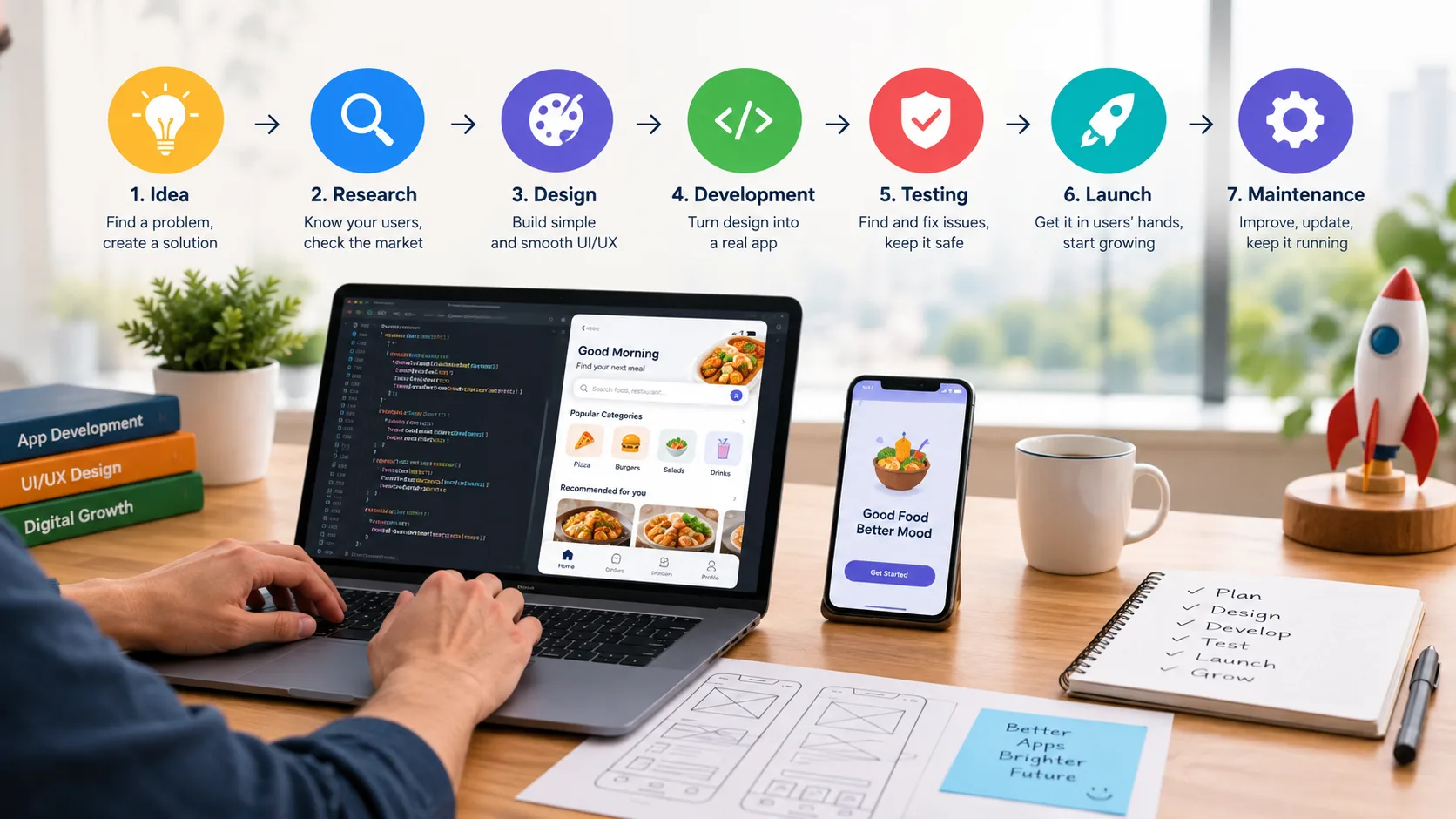
App Development Process: From Idea to Launch
The App Development Process is the journey of turning a simple app idea into a working product that people can use. Whether you want to build a shopping app, learning app, booking app, or business app, you need a clear plan. A good process helps you avoid common mistakes, control costs, and create an app that solves a real problem.
Building an app is not only about writing code. It includes idea planning, market research, UI/UX design, development, testing, launch, and regular maintenance. Each step has an important role. In this guide, we will explain every stage in simple words so that even a beginner can understand how an app goes from an idea to the hands of real users.
Start With a Clear App Idea
Every successful app starts with a problem that needs a solution. Before hiring an app development company , you should clearly understand what your app will do.
App Development Company in Asansol
Identify the Problem
- What problem will the app solve?
- Who will use it?
- Why would people choose this app?
- What makes the app useful or different?
For example, imagine you want to build a local food delivery app. The main problem could be that people in a particular area find it difficult to order food from nearby restaurants. Your app can make this process easier.
A clear problem gives your project a strong direction.
Define Your Target Users
Think about the people who will use your app. They may be students, business owners, shoppers, parents, travelers, or working professionals.
Understanding your users helps you decide what features, language, design, and navigation your app should have.
Create an MVP
You do not always need to build every feature at once. Start with an MVP (Minimum Viable Product).
An MVP contains the most important features needed to solve the main problem. For a food delivery app, the first version may include:
- User registration
- Restaurant listing
- Food selection
- Cart
- Online payment
- Order tracking
Extra features can be added later after you understand what users actually need.
Research the Market and Plan the App
Once your idea is clear, the next step is research. This stage can save you from spending money on an app that people do not want. App Development in Kolkata
Study Your Competitors
Look at similar apps and understand what they do well and where they have problems.
Check their:
- Features
- Pricing
- User reviews
- App design
- Performance
- Customer complaints
For example, if users complain that a competitor's checkout process is confusing, you can design a simpler checkout experience.
Do not copy another app. Instead, learn from the market and find opportunities to offer something better.
Plan Features and Budget
Make a list of the features you want. Then divide them into essential and optional features.
You should also consider:
- Development cost
- Design cost
- Server and hosting expenses
- Payment gateway charges
- App store fees
- Marketing budget
- Future maintenance
The final cost depends on the app's complexity, platform, features, design, and development team.
Choose the Right Platform
Decide whether you need:
- Android
- iOS
- Both Android and iOS
- A cross-platform application
Your target audience and budget should guide this decision. A professional development team can also help you choose the right technology for your project.
Follow the App Development Process From UI/UX to Development
After planning, the project moves into design and development. This is where your idea starts becoming a real application.
Design the UI/UX
UI means User Interface, which includes things users see, such as buttons, colors, icons, images, and screens.
UX means User Experience, which focuses on how easy and comfortable the app is to use.
A good app should not make users think too much. Important buttons should be easy to find, menus should be simple, and users should know what to do next.
Designers usually create wireframes first. A wireframe is like a simple drawing of an app screen. It shows where important elements will be placed before the final design is created.
Develop the App
After the design is approved, developers start building the application.
They work on:
- Front-end development
- Back-end development
- Database integration
- APIs
- User accounts
- Payments
- Notifications
- Security features
The technology used depends on the type of application. Developers may use native technologies or cross-platform frameworks based on the project's requirements.
Good development also requires clean and maintainable code. This makes it easier to fix problems and add new features later.
Test the App Before Launch
A strong App Development Process includes thorough testing before the app reaches real users.
Testing is one of the most important stages of app development. An app may look perfect but still have problems that users can notice.
Check Features and Performance
Test every important function. For example, if your app has a login system, check whether users can register, log in, log out, and reset their passwords correctly.
The team should also test:
- App speed
- Buttons and links
- Forms
- Payments
- Notifications
- Different screen sizes
- Internet connection problems
- App crashes
Test on Real Devices
An app should not be tested on only one phone or computer.
Different users may have different devices, operating systems, screen sizes, and internet speeds. Testing across suitable devices helps find problems before customers experience them.
Check Security
Security testing is also important, especially for apps that handle personal information or payments.
Developers should protect user data, secure communication, and implement proper access controls. Regular security checks can reduce the risk of data-related problems.
Fixing bugs before launch is usually easier and less costly than dealing with angry users after launch.
Launch the App and Reach Your Users
After successful testing, your app is ready for release. But launching an app is more than simply uploading it to an app store.
Prepare Your Store Listing
For platforms such as Google Play and Apple's App Store, prepare important information such as:
- App name
- App description
- App icon
- Screenshots
- Promotional images
- Category
- Privacy information
Your description should clearly explain what the app does and why people should use it.
Make a Launch Plan
Start promoting the app before and around the launch date. Depending on your business, you can use:
- Social media
- Search engine optimization
- Paid advertising
- Email marketing
- Content marketing
- Existing customers
For a local business, you can also promote the app through your website, Google Business Profile, social pages, and offline customers.
Monitor Early User Feedback
The first users can provide valuable information. Look at downloads, active users, reviews, and common complaints.
Do not ignore negative feedback. A complaint may show you exactly what needs improvement.
Maintain, Improve, and Grow the App
Launching the app is not the end of the App Development Process. It is the beginning of the next stage.
Fix Bugs and Update the App
Operating systems change over time. Devices also change, and new security issues can appear. Your app needs regular updates to keep working properly.
Maintenance may include:
- Bug fixing
- Security updates
- Performance improvements
- Compatibility updates
- Server maintenance
- New feature development
Use User Feedback
Your users can tell you what they like and what they do not like. Study reviews, support messages, and usage data to understand their needs.
For example, if many users struggle to find a particular feature, you may need to improve the navigation.
Keep Improving the Product
A good app grows with its users. After the first version, you can add useful features based on real demand.
The goal should not be to add as many features as possible. The goal is to make the app more useful, easier to use, faster, and safer.
Conclusion
The App Development Process becomes much easier when you follow clear steps. Start with a useful idea, understand your users, research the market, plan the features, design a simple experience, develop carefully, test everything, and launch with a proper marketing plan. After launch, continue fixing problems and improving the app based on real user feedback.
If you are planning an app for your business, an experienced development team can help you choose the right technology and avoid common development mistakes.
Ready to turn your app idea into a real product? Contact TZAP Marketing to discuss your app requirements and get a complete digital solution for your business.
Frequently asked questions
What is the App Development Process?
The App Development Process is the series of steps used to turn an app idea into a working product. It usually includes planning, market research, UI/UX design, development, testing, launch, and post-launch maintenance.
How long does the App Development Process take?
The time depends on the app's features, design, platform, and complexity. A simple app may take a few weeks, while a larger application with advanced features can take several months to develop, test, and launch.
What should I do before starting app development?
What should I do before starting app development? Before starting, clearly define the problem your app will solve and identify your target users. You should also research competitors, decide the main features, choose the platform, and prepare a realistic budget.
Why is UI/UX design important for an app?
UI/UX design makes an app easier and more enjoyable to use. A clear layout, simple navigation, readable content, and easy-to-find buttons help users understand the app without confusion.
Why is testing an important part of app development?
Testing helps find bugs, crashes, performance issues, security problems, and other errors before users experience them. It also helps make sure the app works properly across different devices and screen sizes.
Does the App Development Process end after launching the app?
No. Launch is only one stage of the App Development Process. After launch, the app needs regular maintenance, bug fixes, security updates, performance improvements, and new features based on user feedback and changing business needs.